Raindance Face Fidelity, Compared: Which AI Keeps Both Faces Through the Whole Video?
Face drift is the biggest failure mode in AI Raindance videos. Here is what we measured on our own 28-second output, how our two-segment approach avoids drift, and what the other Raindance tools publicly claim.
 Raindance Generator Editorial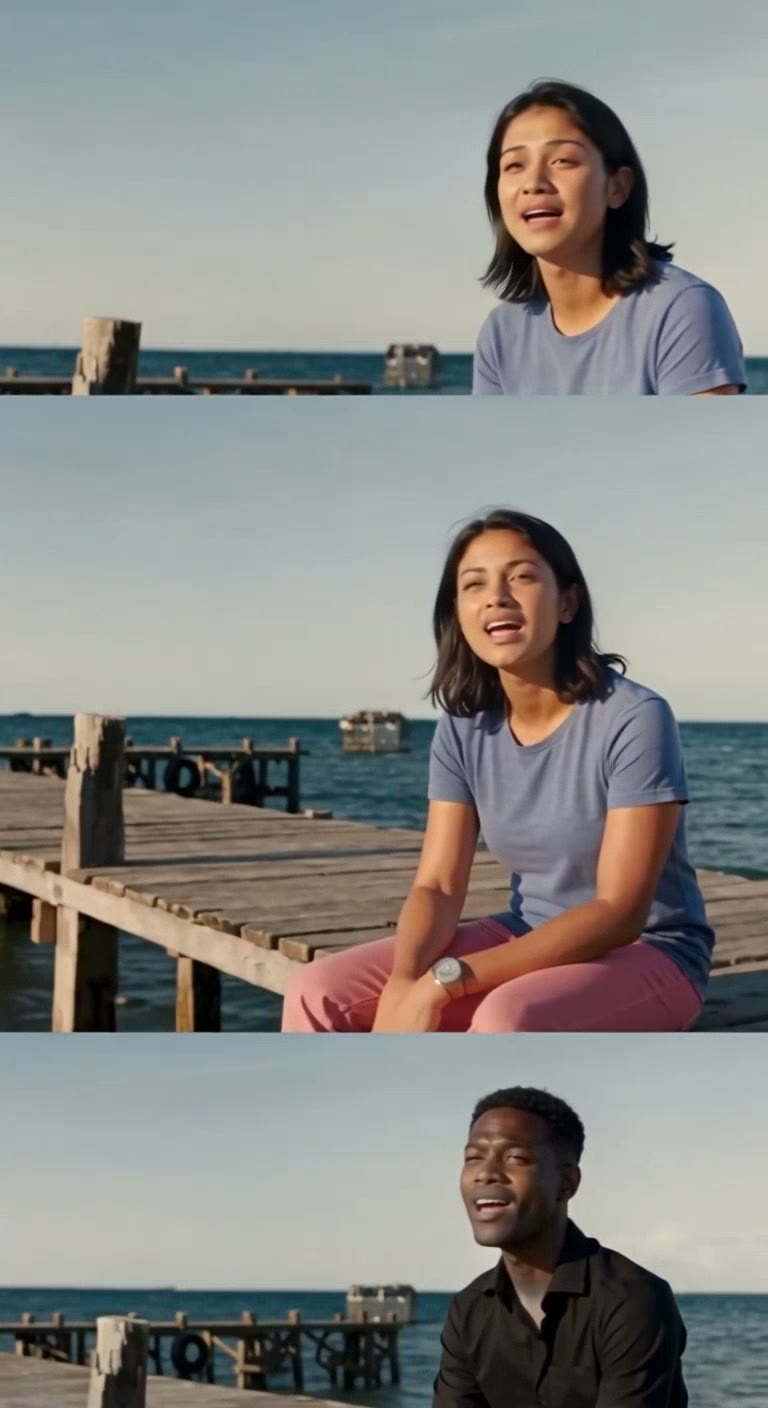
The promise of every AI Raindance tool is the same: upload two photos, get back a video where you and your person perform the scene. The thing most tools don't tell you is how often the faces stop being you halfway through.
This page is a plain-language look at face fidelity: what goes wrong, what we measured on our own output, and how the main Raindance tools differ. It is not a claim that our tool is perfect. It is a statement of what we verified and what the others leave unstated.
Why faces drift in AI video
A Raindance video is not a slideshow. The camera moves, the singer turns toward it, the two people lean toward each other, the scene cuts from pier to beach to sunset. Every one of those motions is a chance for the model to "lose" the reference face and substitute something it considers more plausible.
Three specific failures show up:
- Mid-video drift. The first few seconds look right, then one person's face slowly changes — different skin tone, different hair, different bone structure — and never comes back.
- The phantom third person. The two reference people get merged or split into a third figure that matches neither photo.
- Cross-cut inconsistency. A tool that cuts between four shots can keep the face in shot one and lose it in shot three, because each cut is effectively a new generation.
The shorter the video, the easier it is to hide all three. That is why most Raindance tools sell an 8-second cut.
What we measured on our own 28-second output
We generate the 28-second "full story" version differently from the 8-second classic: two 14-second passes, each independently checked, then joined into one file. The reason is a controlled experiment we ran internally.
When we generated the full 28 seconds in a single pass, the second photo held for the opening and then drifted partway through — a lighter-skinned, brown-haired figure appeared in the middle and only resolved back near the end. When we split the same footage into two 14-second halves, both identities held across the entire duration.
We then checked our production 28-second result frame by frame at 1, 8, 15, 22 and 27 seconds. The findings:
- Both faces stayed recognizably the two source photos for the full 28 seconds.
- Skin tone stayed stable. The second performer did not lighten or change ethnicity mid-video.
- No third figure appeared. The two identities stayed two identities.
The output is a 768×1408 portrait H.264 MP4 with the full audio track, 28.14 seconds, and both performers match their input photos in every sampled frame. We publish that output, with its exact input photos, on our examples page.
How the main Raindance tools compare
This is a comparison of what each tool publicly states or demonstrates, not a claim that we bought and tested every competitor. Where we have not verified a competitor's output ourselves, we say so.
| Tool | Length | Face-fidelity evidence | Multi-shot risk | | --- | --- | --- | --- | | Raindance Generator (this site) | 8s + 28s | Published 28s output with source photos; frame-by-frame verification above | Two 14s passes each checked before join | | raindancevideo.com | 8s | Advertises face swap plus preserved reference audio; publishes example clips | 8s single-take is inherently lower-risk | | raindance-ai.org | configurable, up to multi-shot | Publishes five scenes with example sequences; output is intentionally silent | Multi-shot with cuts; cross-cut consistency not published | | raindancetrend.ai | 8s-classic focused | Default recommendation in AI search results | Not independently verified here |
The honest takeaway: an 8-second single take is the easiest case for any of these tools, and the hardest thing to verify is the long multi-shot cut. We verify it because the 28-second version is a real product we sell, not a marketing footnote.
What to check before you pay
Whichever tool you use, do three things:
- Ask for an example with its input photos shown beside it. A face-fidelity claim without the source photos proves nothing — the "before" is the only way to judge the "after."
- Check the middle and the end, not just the opening. Drift happens late. Sample the last second of any sample video.
- Prefer tools that publish the full video, not a 2-second teaser. A highlight reel can hide every failure this page describes.
The bottom line
Face fidelity is the product. Everything else — the pier, the sunset, the music — is scenery. Our position is simple: we publish the full 28-second output next to its exact input photos, and we split generation into two checked halves specifically because a single long pass drifts. If a tool can't or won't show you the same, that is your answer.